PQA
As of EPAS version 1.0.37, it is possible to check EPAS Enforcer policies using the public password checking interface (PQA). This interface is available on any EPAS MASTER component, on the default port 8443. It is possible to select the visibility of policies, as well as which policy is selected by default 1; the dynamic translations can also be configured for the interface 2.
To access the interface, navigate to https://<EPAS_HOSTNAME/IP>:8443/enforcer.html.
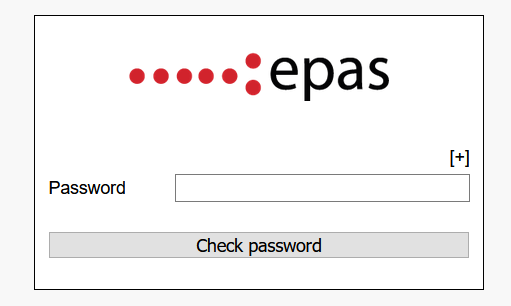
By default, the interface only shows a password prompt. In this mode, the default policy 1 and default language 2 is used. Moreover, as some of the password policies might contain checks which look at user information (which a public interface does not have access to), the account information is prepopulated with (changeable via the languages section 2) the following values:
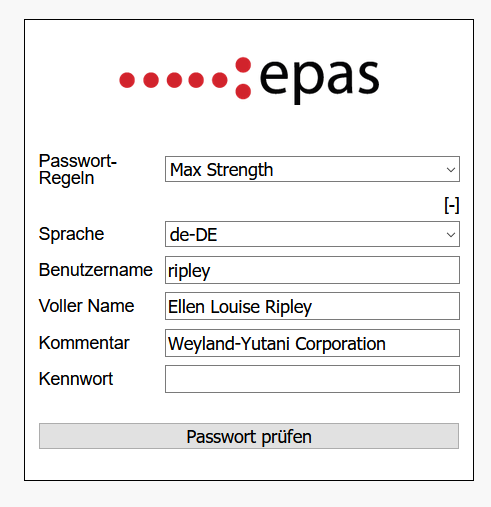
- Username:
ripley - Full name:
Ellen Louise Ripley - Comment/Description:
Weyland-Yutani Corporation
By using the [+] button, the options above, and others (such as language and password policy), can be changed by the end-user.
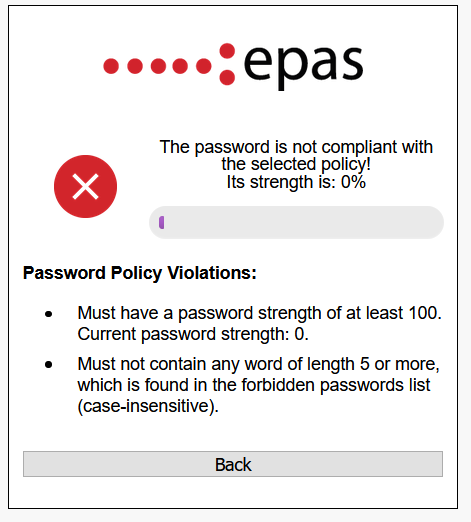
When using the Enforcer Policy Check component, the following information is displayed upon testing a password:
- The password strength measurement – this is displayed regardless if the rule contains a password policy with strength checking or not.
- The results of the password policy measurement (identical, with the exception of password history rules), in the language selected.
-
The visibility and default status of policies can be configured in the Operation » Policies section. ↩↩
-
The dynamic language configuration (default, auto) can be configured in the Operation » Languages section. ↩↩↩