Date and Time
Date and time information is used throughout the service for queuing jobs, reports and several other critical EPAS functions. The date and time can configured manually or automatically pooled from a network time server via the NTP protocol. In order to adjust the date and time settings, including the time zone information, access the Date & Time Settings option from the System menu.
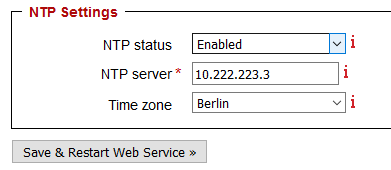
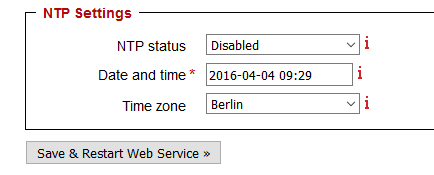
Enable NTP if a network time server is available. If no network time server is available, disable NTP.
- Input the network time server IP address in the specified field. Alternatively, if NTP is disabled, select the current date and time with the calendar widget provided.
- Select the correct time zone from the time zone drop-down list.
- Click Save to apply the changes. The changes will be propagated instantly for the manual time selection. For the NTP-enabled setting, the changes will take up to 10 seconds to propagate throughout the service.