Logs
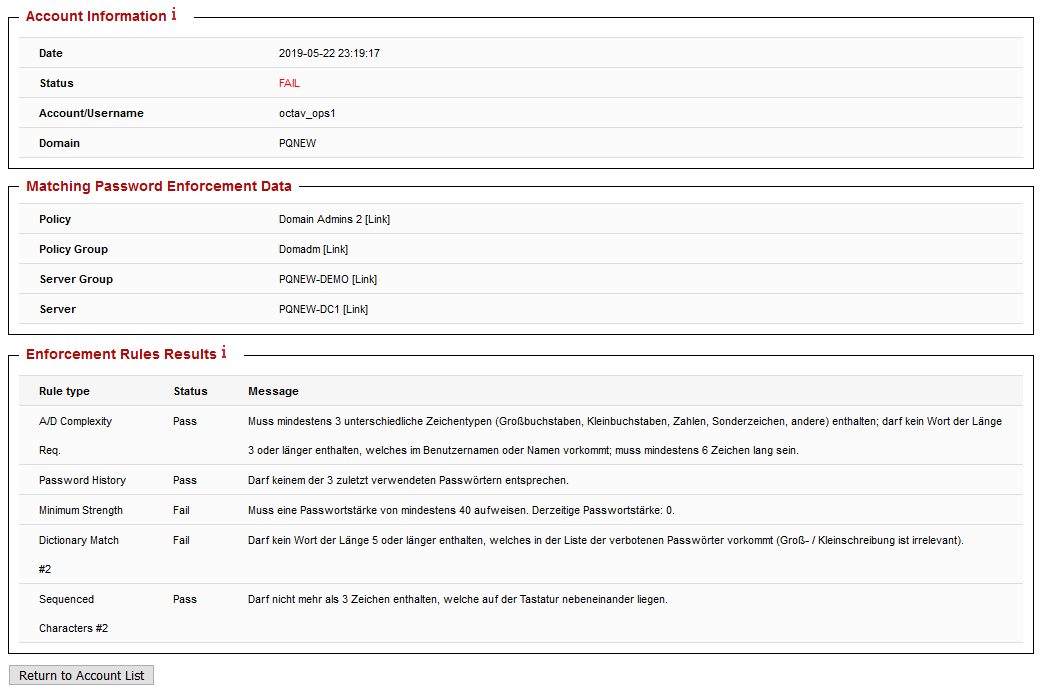
EPAS Enforcer also includes a logging mechanism for both successful and failed password changes. After each password change, the component handling the policy checking (MASTER, AGENT) logs the status of the password change, and several other details:
- Date and time of the password change attempt
- Status of the password enforcement policy checks
- Account name 1
- Originating domain or workstation
- Applied policy, corresponding policy assignment, server group and server
- Granular details about the failed or successful password enforcement policy rules
The log page is available under the Enforcer » Logs page. By default, it includes all password changes since the log data was initialized 2. It is possible to filter the results by server group, domain or username, as well as to sort the list.
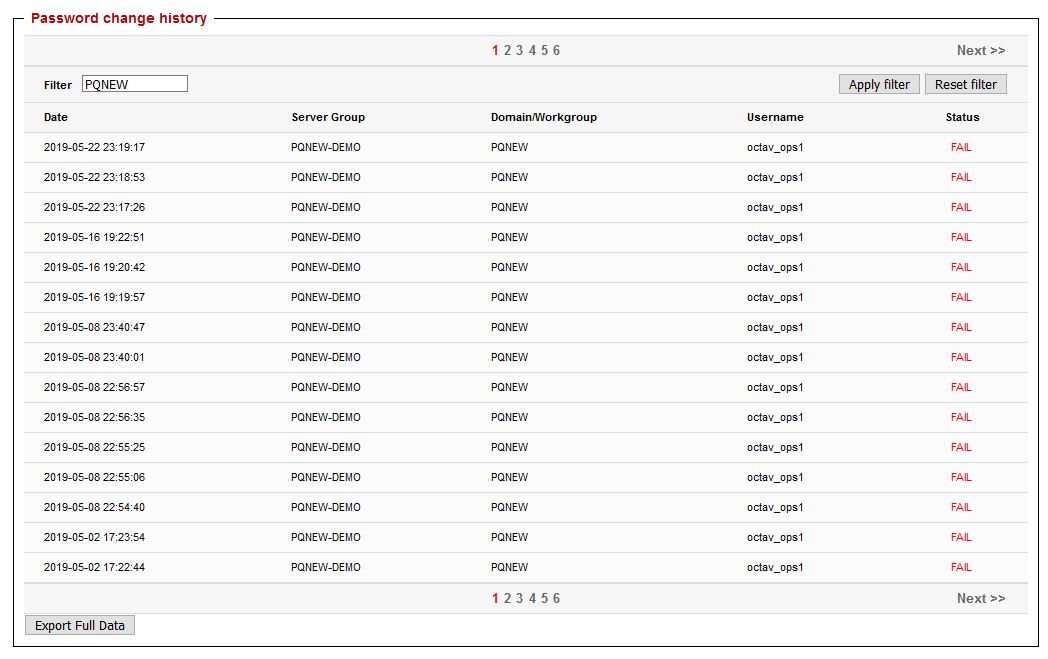
For ease of use in other business intelligence platforms, it is also possible to export the log data by using the Export Full Data action. Clicking on any entry in the log table provides additional details about the password change request, as listed in the beggining of the section.
-
The account name is logged only if the User Privacy server group parameter is disabled. If it is enabled, a randomized string is used instead, which prohibits the EPAS administrator to correlate the password change request with a particular account. ↩
-
It is possible to clear log data by using the CLEAR ALL LOGS action in the Enforcer » Settings page. ↩