Dictionaries
This section covers the management of dictionaries which are used in the Enforcer. The dictionaries are present in several policy rules, as presented in the Policies section. In order to be able to select dictionary objects in policies, it is required to import existing EPAS Audit dictionaries. The process is described below:
- Navigate to the Enforcer » Dictionaries page.
- Use the Import EPAS Dictionary button to start the import procedure.
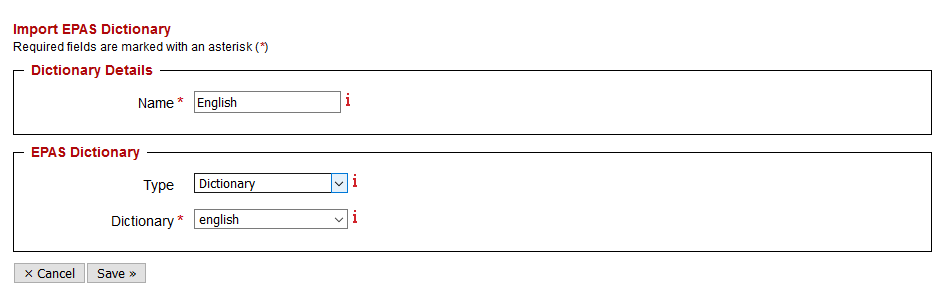
- In the new window, select a Name for the dictionary object. Any name identifying the dictionary can be used.
- In the EPAS Dictionary section, select whether the import operation targets EPAS Audit dictionaries or dictionary lists.
- Select the desired dictionary from the list.
- Use the Save button to persist the changes.
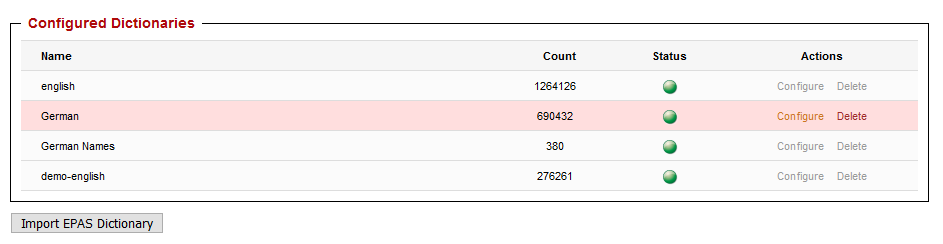
As the dictionary is imported from the EPAS Audit feature, its status will change from yellow to green, in the dictionary page. Once a dictionary has been imported, its contents (the words) cannot be changed. Only the Name parameter is editable.
Tip
Use language dictionaries in the import function, as they contain sufficient information to add to the blocklist.
Only dictionaries with less than 40 000 000 words are selectable in the import process. This is not a technical limitation, but rather a design decision, as sufficiently large dictionaries set as blacklists will disallow most users to set any usable passwords.